Page 1 of 2
Samples showing just a black screen in play mode
Posted: 29 Nov 2024, 17:17
by mithril52
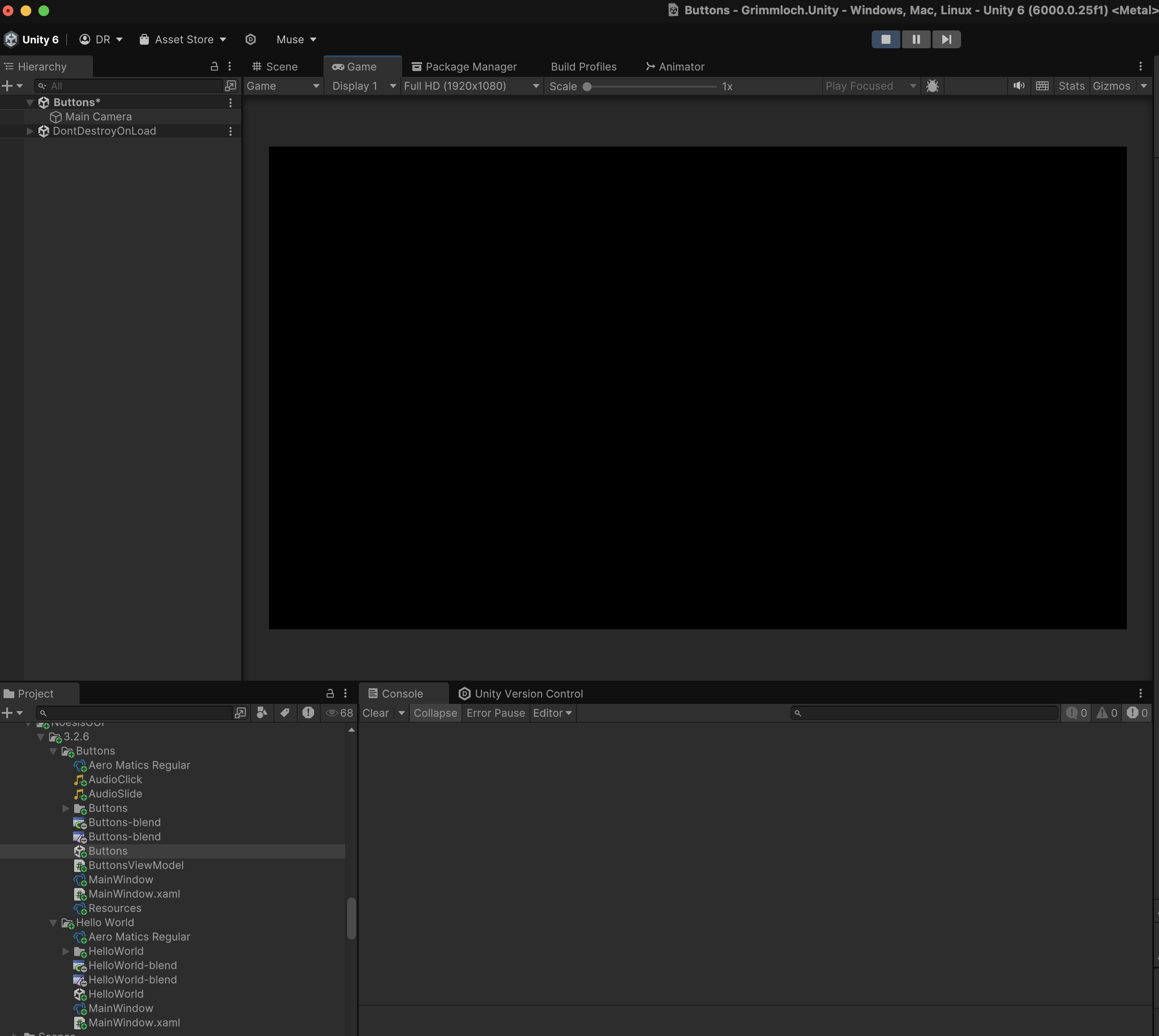
I've installed a couple of the samples in a Unity 6 (6000.0.25f) project and when I go into play mode, they just show a black screen. No UI, and no scene behind it. Do I need to do something to update the scenes? Or will it only work period if I have a license (which I've not yet purchased. I thought it was supposed to be able to run for up to 10 minutes without one?)
Re: Samples showing just a black screen in play mode
Posted: 29 Nov 2024, 17:24
by jsantos
Is this using the URP pipeline? Please make sure you are using Noesis 3.2.6, we are still working on compatibility with Unity 6.
Re: Samples showing just a black screen in play mode
Posted: 29 Nov 2024, 17:49
by mithril52
Yes am using the URP pipeline and I am using 3.2.6
Re: Samples showing just a black screen in play mode
Posted: 29 Nov 2024, 19:18
by jsantos
yes, that should work, what example are you playing, could you please paste an image here?
Re: Samples showing just a black screen in play mode
Posted: 29 Nov 2024, 19:27
by mithril52
I've tried Hello World and Buttons. They both show the same thing in play mode. When I move the cursor around the screen, it plays the sounds that play when you move over the buttons, just can't see them
Re: Samples showing just a black screen in play mode
Posted: 29 Nov 2024, 19:55
by jsantos
This seems to be a specific problem with Unity 6 and macOS, could you please file a ticket? Thank you!
Re: Samples showing just a black screen in play mode
Posted: 01 Dec 2024, 18:29
by mithril52
Can't figure out how to file a ticket. Could you point me in the right direction?
Re: Samples showing just a black screen in play mode
Posted: 02 Dec 2024, 12:51
by Killian
Did you try adding the Custom Pass Volume? I also had a black screen before with all the samples shipped with the package. After adding that volume and setting it up correctly the GUI worked perfectly.
Re: Samples showing just a black screen in play mode
Posted: 02 Dec 2024, 18:46
by mithril52
Did you try adding the Custom Pass Volume? I also had a black screen before with all the samples shipped with the package. After adding that volume and setting it up correctly the GUI worked perfectly.
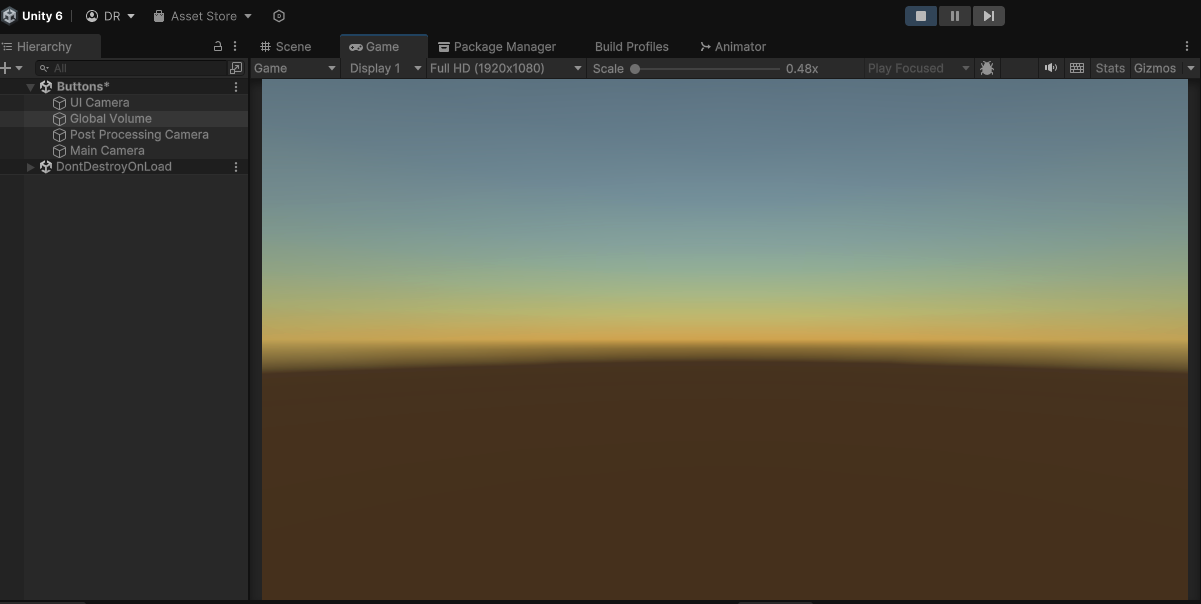
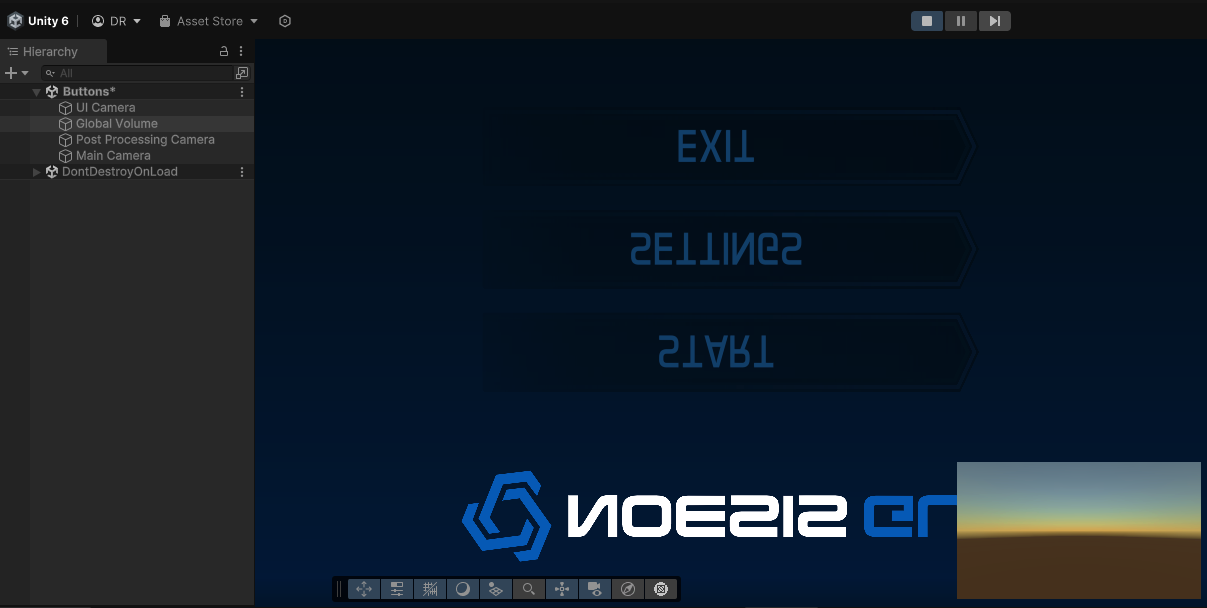
I assume you mean adding of a Global Volume and following the URP instructions in the documentation for Camera Stacking? I did give that a try and I do get different results, but not quite right. The game window is no longer black, but does not show the UI:
But in play mode when I switch to the Scene view, I do see the UI, just from behind it looks like?
Re: Samples showing just a black screen in play mode
Posted: 02 Dec 2024, 21:29
by Killian
Since there's camera stacking for URP more things could probably end up wrong, hard to say from your screenshot.
Would you mind sharing your camera and volume settings?